Complete Guide to Blueprint Reading for Machine Trades

Mastering technical diagrams is crucial for professionals working in production and engineering sectors. Understanding the symbols, measurements, and layout of drawings directly impacts the quality of the final product. Begin by familiarizing yourself with the basic symbols that represent different machine components, such as gears, bolts, and shafts. These are often standardized across industries, making it easier to interpret designs quickly and accurately.
Next, focus on the dimensions and tolerances. These numbers are not just for reference; they define the exact measurements needed for each part. Pay special attention to the way tolerances are displayed–whether they are linear, angular, or geometric. A small deviation can lead to incorrect assembly or functionality, so understanding these details is key to maintaining accuracy.
Additionally, section views and perspectives are important for understanding the internal structure of parts that cannot be seen in standard views. Sections provide a clear view of the cut-through of components, while other views like top and side views help visualize the part from different angles. By practicing these reading techniques, you can better analyze complex designs and identify potential issues before production begins.
Blueprint Interpretation for Industrial Applications
Accurately identifying symbols is the first step in analyzing technical drawings. Each diagram will use specific marks to represent components such as screws, bolts, and gears. For example, a circle with an “X” inside commonly represents a bolt hole. Familiarize yourself with the standard symbols used across industries to ensure proper interpretation in any design.
Understanding dimensions is another key aspect. Drawings will include linear measurements, typically shown with a number and unit, that tell you the exact size of each part. Ensure that you carefully check each dimension, as any discrepancy can lead to incorrect part production. Additionally, pay attention to tolerance specifications, which indicate acceptable variations in size.
Interpreting different views is crucial for visualizing complex parts. Common views such as top, front, side, and sectional views offer different perspectives of the design. Section views, for instance, provide a “cut-out” view of the part, allowing you to examine internal features that aren’t visible from the exterior. Understanding how these views work together will help you form a complete picture of the design.
Check for notes that often accompany a diagram. These notes can explain specific instructions, such as surface finishes, heat treatment requirements, or assembly guidelines. Make sure to carefully review any notes to avoid misunderstandings and ensure the final product matches the designer’s intentions.
Verify scale and proportions when analyzing drawings. Most technical diagrams are drawn to scale, meaning that the measurements on the drawing correspond to real-world sizes. Some designs may use a different scale for clarity, so ensure you adjust accordingly. When in doubt, use a scale ruler to measure the distances and ensure they match the required specifications.
Understanding Basic Blueprint Symbols in Industrial Applications
Start by identifying basic symbols used to represent different components. For example, a circle with an “X” inside typically indicates a bolt hole. Another common symbol is the triangle, often used to represent a counterbore or countersink. Be sure to familiarize yourself with these symbols, as they are consistent across most engineering diagrams.
Another key element is the line type. Solid lines usually represent visible edges, while dashed lines are used to show hidden features. Center lines, represented by alternating long and short dashes, are used to indicate symmetry or the center of a feature. Learn these distinctions to better understand the structural layout of each part.
Common symbols also indicate materials, surface finishes, and heat treatment requirements. For example, a rough surface might be indicated with a symbol that looks like a series of small, irregular lines, while a polished surface could be represented by a symbol resembling a smooth, flat line. These notes directly affect how the part is manufactured and assembled.
| Symbol | Meaning |
|---|---|
| Circle with an “X” | Bolt hole |
| Triangle | Counterbore or countersink |
| Solid line | Visible edge |
| Dashed line | Hidden feature |
| Center line | Symmetry or feature center |
| Rough surface symbol | Rough surface finish |
| Polished surface symbol | Polished surface finish |
By mastering these basic symbols, you’ll be able to interpret most standard diagrams used in industrial production and assembly.
How to Interpret Dimensions and Tolerances on Technical Drawings
Dimensions on technical diagrams are critical for understanding the exact size of each component. They are typically indicated in linear form with numbers and units. Always check the units (inches, millimeters, etc.) and ensure that you measure according to the specified scale. Dimensions may include length, width, depth, or diameter, depending on the shape of the part.
Tolerances define the acceptable variation from the nominal dimension. For example, a dimension might state “100 mm ±0.05 mm,” meaning that the part can range from 99.95 mm to 100.05 mm and still be within specification. Pay attention to tolerance symbols such as “±” for general tolerance, “⌀” for diameter, or “∅” for hole diameter.
Common types of tolerances include:
- Linear tolerance: Applied to the length, width, or thickness of a part.
- Geometric tolerance: Specifies the shape, orientation, and location of a part feature, often marked with symbols like the flatness or perpendicularity symbol.
- Surface finish tolerance: Defines the roughness of the surface, often indicated by a number or symbol.
Interpreting dimensions and tolerances correctly is critical for ensuring that the part fits within the intended design specifications. Always double-check the dimensions for accuracy, especially when dealing with complex shapes or multiple features on a single part.
Decoding the Views: Top, Side, and Sectional in Industrial Drawings
Top view, also known as the plan view, shows the object from above. This view is used to display the object’s shape and layout in two dimensions. It’s useful for visualizing the width and length but provides no information about depth. Be sure to focus on the alignment of features in this view to understand the overall arrangement.
Side view is typically used to illustrate the depth or height of an object. It gives a profile view of the part and can show different details that are not visible from the top. Multiple side views may be necessary for complex shapes, especially when features are spread across different depths.
Sectional view reveals the internal details of an object by cutting through it. This view is helpful when examining internal features such as holes, slots, or any other hidden components. Sectional views are often marked with a cutting plane line, indicating where the part has been “cut” to reveal the interior. Pay attention to the direction of the cut and any additional notations that describe the internal structure.
Each of these views provides a different perspective of the part, and together they offer a complete picture. Understanding how to interpret them is key to accurate part fabrication and assembly.
Identifying Key Notes and Specifications in Engineering Drawings
Key notes provide critical information regarding specific instructions, material properties, finishes, and assembly requirements. These notes are often placed around the drawing or directly next to relevant features. Look for symbols and abbreviations that indicate specific actions, such as “tapped hole” or “counterbore.” These instructions ensure that the correct machining process is followed.
Material specifications are commonly noted near components to indicate what material should be used, such as steel, aluminum, or plastic. These details are crucial for ensuring the correct properties, such as strength, flexibility, and weight, are maintained. In addition to material, you may find notes specifying hardness, heat treatment, or surface finish.
Surface finish symbols often follow the material specification and indicate how smooth or rough the surface of a part should be. These symbols are standardized and may reference the Ra (roughness average) value or specific treatments like grinding or polishing.
Tolerances are essential to note as they dictate the acceptable variation in measurements. These might include general tolerances, angular tolerances, or geometric tolerances. Ensure you understand the symbols used, such as “±” for general dimensions or “∅” for hole diameters. Tolerance marks guide manufacturing to ensure parts fit together properly.
Assembly instructions might be indicated with arrows, lines, or other marks showing how parts should be assembled. These instructions may also specify any fasteners or tools required during assembly. It’s critical to pay attention to these details to avoid assembly errors.
| Note Type | Meaning |
|---|---|
| Material specification | Indicates the material to be used for the part (e.g., steel, aluminum). |
| Surface finish symbol | Specifies the smoothness or texture required on the part surface. |
| Tolerances | Defines acceptable limits for dimensional variation of parts. |
| Assembly instruction | Describes how to assemble the part or component. |
For further details on how to interpret these notes and specifications, refer to reliable sources like Engineering.com for up-to-date guides and references.
Using Scale and Proportions for Accurate Measurement Interpretation
To ensure precise measurements, always verify the scale used on the drawing. Scales are commonly indicated in the drawing’s title block or near the edge. A scale of 1:1 means the part is represented at its actual size, while scales like 1:2 or 1:10 reduce the part size by half or ten times, respectively. Understanding the scale helps convert the dimensions on paper to real-world sizes.
Steps to use scale effectively:
- Identify the scale: Look for the scale ratio, such as 1:2, 1:10, or 1:1. This tells you how the drawing compares to the actual object.
- Measure on the drawing: Use a ruler or scale divider to measure the length or width of features on the drawing.
- Convert to actual size: Multiply the measured dimension by the scale factor. For example, if the drawing scale is 1:10 and the measurement is 20 mm, the real dimension is 200 mm (20 mm * 10).
Proportions are also key in interpreting complex shapes. The proportions maintain the relative size of parts across different views. Ensure that dimensions from various views align according to the scale to confirm the part will fit together properly during assembly.
Common tools for scaling:
- Scale ruler: A ruler that includes multiple scales to make the conversion from drawing to actual size quicker.
- Calipers or dividers: These tools help measure distances on the drawing and convert them into real-world measurements based on the scale.
Accurate interpretation of scale and proportions ensures that the final product matches the designer’s specifications and avoids costly mistakes during manufacturing or assembly.
Recognizing Common Parts and Their Representations in Engineering Drawings
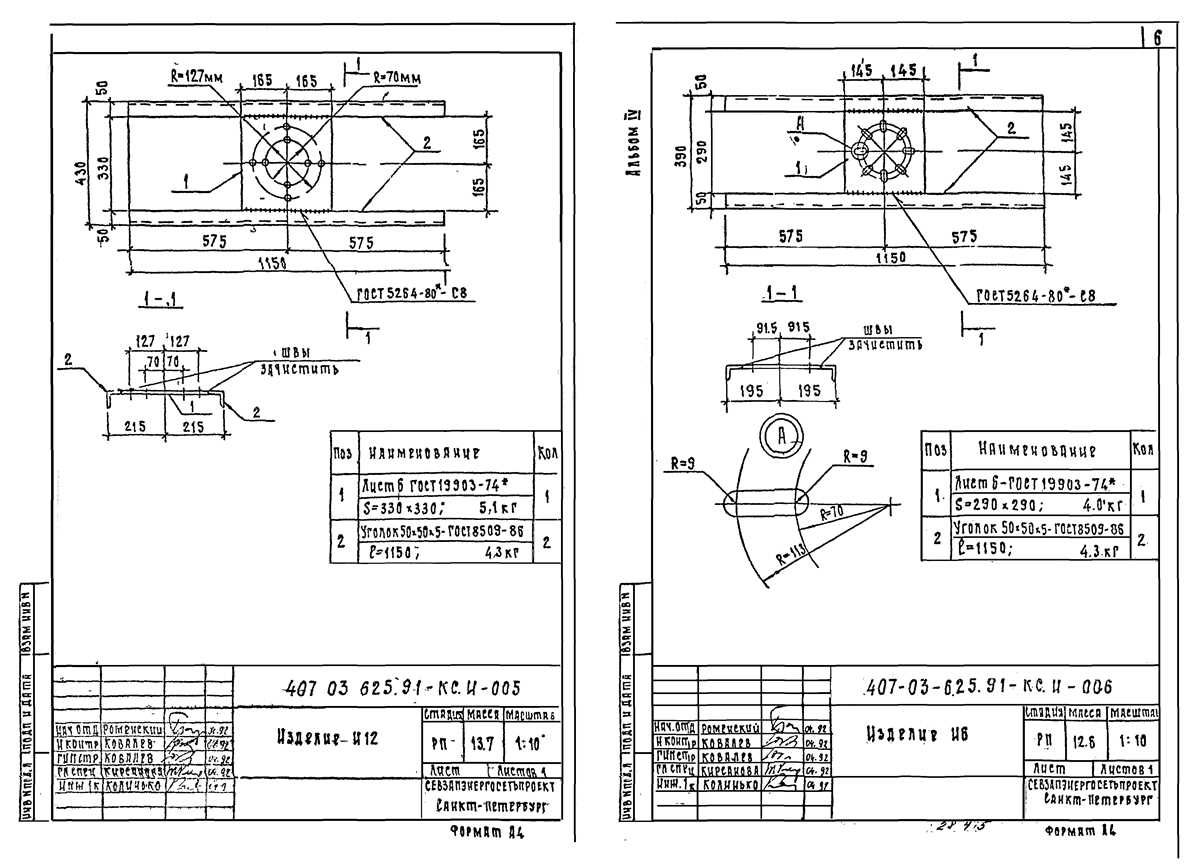
Identifying standard components is crucial when interpreting technical layouts. Key elements such as shafts, gears, bolts, and bearings are often represented with consistent symbols or simplified shapes. Recognizing these symbols will speed up your ability to understand the diagram and ensure correct assembly or machining.
Common representations include:
- Shafts: Typically shown as long, straight lines with or without dimensions indicating diameter or length. Sometimes, they may have a taper symbol indicating a change in diameter along the shaft.
- Gears: Represented as circles with teeth on the perimeter. A gear’s tooth count or module is often indicated near the circle, with a specific note on the mesh type or alignment with other gears.
- Bolts and screws: Shown as small circles or hexagons, usually marked with a threaded line pattern to represent the threading on the fastener. Length, diameter, and thread specifications are given alongside.
- Bearings: These are often depicted as circles with smaller inner or outer circles representing the rolling elements inside. Additional annotations might specify bearing type and dimensions.
- Holes: Indicated as circles, with additional symbols used for countersinks or counterbores. Depth or diameter specifications are provided to ensure proper fit with other parts.
Understanding these symbols and how they relate to physical dimensions is crucial for accurate fabrication. Review each part’s symbol carefully, and check all related annotations to ensure proper interpretation. Pay attention to additional details like tolerances and surface finishes, which may also be indicated alongside these common components.
How to Read Material Specifications and Surface Finishes
Material specifications are typically listed directly on the drawing and identify the type of material required for each part. These details may include the material grade, alloy type, and any specific standards, such as ASTM (American Society for Testing and Materials) or ISO standards. Look for abbreviations or codes that correspond to material types, such as “A36” for steel or “6061” for aluminum. These codes can usually be cross-referenced with a material catalog to find the precise material properties.
Common material specifications include:
- Steel Grades: Common steel grades are identified by their strength, carbon content, or alloying elements. For example, “1045” indicates a medium-carbon steel, while “304” refers to a corrosion-resistant stainless steel.
- Aluminum Alloys: Aluminum alloys are often denoted by a four-digit number, such as “2026” or “7075,” which indicate the specific mixture of metals used to improve strength or other properties.
- Plastic Materials: Specifications for plastics might include a designation like “ABS” or “Nylon,” with a reference to the material’s tensile strength or heat resistance.
Surface finishes are indicated by symbols or text and specify the required texture or treatment on the surface of the part. These details are important for both aesthetics and functionality, as they can impact friction, corrosion resistance, and overall durability. Common finish types include smooth, matte, or textured surfaces.
Common surface finish specifications:
- Ra (Roughness Average): The Ra value is a measurement of surface roughness, typically expressed in micrometers (µm). For example, “Ra 3.2” means the average surface roughness is 3.2 micrometers.
- Hardness Treatments: Treatments like “HRC 60” refer to the Rockwell hardness scale, where higher numbers indicate harder surfaces.
- Coatings: Specifications like “Anodized” or “Powder Coated” refer to surface coatings that provide additional protection against corrosion or wear.
When reviewing material specifications and surface finishes, it’s important to ensure the material’s properties and surface texture meet the functional and environmental requirements of the part. Pay attention to any additional notes or codes that provide more specific details, such as heat treatment or welding procedures.
Practical Tips for Troubleshooting Errors in Technical Drawings

Begin by cross-referencing the drawing with the original design specifications. Often, errors stem from mismatched dimensions or omitted details. Check all listed measurements and compare them with the functional requirements to identify any discrepancies.
Steps to resolve errors:
- Verify dimensions: Ensure all linear and angular dimensions are correct. Double-check both primary and secondary views to confirm that measurements align across different sections of the diagram.
- Check scale ratios: If a drawing uses a specific scale (e.g., 1:2), confirm that the conversion of measurements from the scaled drawing to real-world sizes has been correctly applied.
- Review notes and annotations: Errors may lie in the interpretation of notes. Confirm that all required instructions are present, including material types, surface finishes, and tolerance specifications.
- Confirm part orientations: View discrepancies often arise from incorrect part orientations in different views. Ensure that views such as top, side, and sectional perspectives are consistent and match the physical setup of the part.
- Identify missing or unclear details: If a specific section or component is unclear, look for any missing or incomplete information in the drawings. Sometimes, additional details may be found in another section of the document or referenced in related drawings.
If the error persists after reviewing the document, consult with a senior draftsman or designer to clarify any ambiguities. Collaboration can often highlight overlooked mistakes or misinterpretations that are difficult to spot individually.
Lastly, use software tools to assist in verifying dimensions and detecting inconsistencies. Many CAD programs offer built-in error-checking features that can automatically flag potential problems in technical illustrations.