Detailed Guidance for Using Math Drills Worksheets with Verified Solution Sets
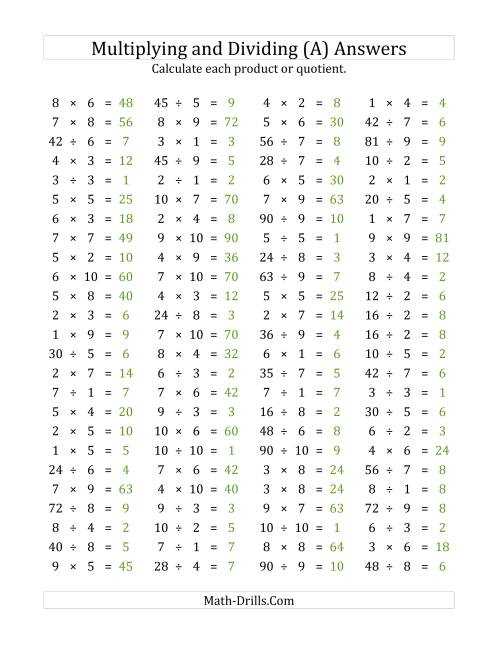
Use direct verification of each worksheet result by comparing your computed total with a reliable solution set that lists each operation in expanded form. This approach helps confirm whether regrouping, carrying, or borrowing steps were applied correctly, especially in multi-digit tasks.
Strengthen problem-solving accuracy by breaking down each operation into explicit numeric transitions. For instance, rewrite every multiplication or fraction conversion step on a separate line to eliminate skipped logic. This method reduces errors caused by mental shortcuts and supports consistent tracking of intermediate values.
Recheck word-based tasks by isolating required operations before performing any calculation. Identify clues such as rate, difference, or total and convert them into structured equations. This prevents misinterpretation of the prompt and provides a dependable path for confirming whether your final result aligns with the official solution set.
Practice Sheets Solution Reference Guide
Verify each result by matching your computed output with a structured set of reference values arranged by operation type. This prevents confusion during multi-step tasks and supports precise tracking of arithmetic transitions.
For repeated operations such as long multiplication or multi-stage fraction work, rewrite each intermediate subtotal to remove any ambiguity. This approach keeps regrouping and alignment mistakes from distorting the final outcome.
Use the table below to organize checks for common task categories. Each row includes a clear target, a suggested verification method, and the type of reference output typically provided.
| Task Category | Verification Method | Reference Output Type |
|---|---|---|
| Multi-digit addition | Recompute each column separately and validate carrying steps | Line-by-line totals |
| Subtraction with borrowing | Confirm each adjustment by rewriting reduced place values | Stepwise column values |
| Long multiplication | Check each partial product before combining rows | Expanded partial products |
| Division with remainders | Recreate divisor × quotient and compare with original value | Quotient table with remainder record |
| Fraction simplification | Confirm numerator and denominator factors through prime checks | Reduced fraction list |
| Word-based arithmetic | Extract rates, totals, or differences and rebuild the equation | Operational breakdown |
Locating Correct Solution Files for Specific Practice Topics
Access the official reference sheets by navigating to the “A” version of any exercise: the solution set is embedded in the second page of the teacher-specific PDF. :contentReference[oaicite:0]{index=0}
Use the site’s built-in search function to find targeted worksets by skill area, such as subtraction or geometry. :contentReference[oaicite:1]{index=1}
If the worksheet you need doesn’t explicitly list solutions, switch to the “Teacher” version via the Teachers page, which includes answer pages for most written drills. :contentReference[oaicite:2]{index=2}
::contentReference[oaicite:3]{index=3}
Verifying Arithmetic Steps in Addition and Subtraction Sets
Confirm each result by recalculating sums with a reverse check: subtract one addend from the total and validate that the remaining value matches the other component.
For subtraction tasks, review each move by applying the inverse operation: add the deducted amount to the final result and confirm that the original figure is restored.
When regrouping is involved, track every borrowed or carried unit through a column-by-column reconstruction to ensure that no intermediate value is skipped or altered.
To spot digit-level inconsistencies, rewrite each expression vertically and verify alignment of ones, tens, and hundreds, especially in multi-step sequences.
Checking Multiplication and Division Worksheet Outputs
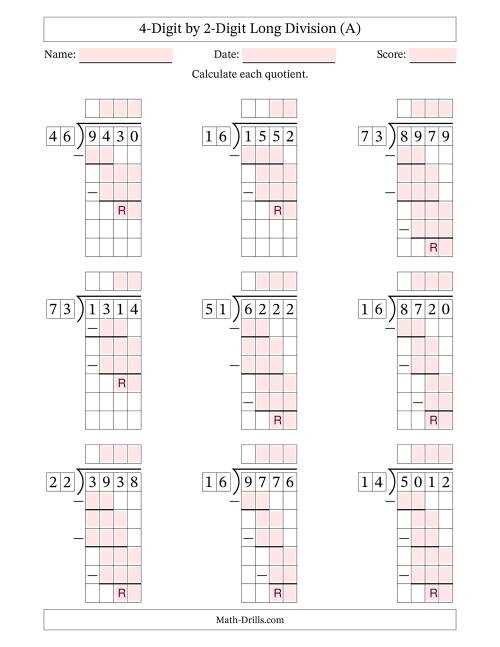
Confirm each product by running a reverse computation: divide the result by one factor and ensure the quotient matches the other factor without remainder.
For long multiplication, review every partial row by recalculating each digit pair and ensuring that shifts in place value align with the correct column.
Validate division outcomes by multiplying the quotient and divisor, then adding any remainder to confirm the reconstructed value equals the starting figure.
When multi-step tasks appear, inspect each transition by isolating individual digit moves, checking carries and reductions to prevent hidden arithmetic slips.
Confirming Fraction and Mixed Number Computations
Check each operation by converting mixed forms to improper structures, performing the required steps, then restoring the result to a simplified mixed output.
- For addition or subtraction, bring all parts to a shared base, verify numerator adjustments, and confirm the reduced form by dividing both components by their greatest shared factor.
- For multiplication, reassess each factor after converting to improper form, perform cross-cancellation where possible, and confirm the product simplifies correctly.
- For division, invert the second component, run a multiplication check, and ensure the final numerator–denominator pair reduces without leftover factors.
When results yield whole-number portions, confirm accuracy by isolating the integer from the fractional remainder through direct division and validating both pieces independently.
Reviewing Decimal and Percent Conversion Results
Verify each transition by recalculating the movement of the decimal point and confirming that the transformed figure retains proportional value relative to the original.
For decimal-to-percent conversions, multiply the starting number by 100, check the shift of two places to the right, and ensure no trailing zeros distort the intended scale.
For percent-to-decimal reversals, divide by 100, confirm the two-place shift to the left, and reassess any repeating patterns to avoid rounding errors that alter the final output.
When comparing two transformed values, compute the ratio between the initial and resulting forms to confirm that the relationship remains constant across both representations.
Matching Word Problem Solutions with Required Operations
Identify the requested action by isolating numerical cues such as totals, remaining quantities, rate changes, or grouped items, then map each cue to a single operation without mixing steps prematurely.
- Addition: Select this when the prompt describes combining sets, increasing a quantity, or joining separate amounts into one total.
- Subtraction: Use this when the text highlights loss, reduction, remaining items, or comparison between two amounts.
- Multiplication: Apply this when equal groups, repeated measures, or scaled growth appear explicitly within the scenario.
- Division: Choose this when distribution, grouping into equal parts, or determining unit values is required.
After selecting the operation, rewrite the scenario numerically to confirm the structure aligns with the chosen action. If the expression does not reflect the described relationships, reassess the identified cue words and adjust the operation accordingly.
Cross-Checking Time, Measurement, and Money Task Results
Verify time-related outputs by converting all units to a single format, such as minutes, before performing any comparison or recalculation. For example, 2 h 15 min becomes 135 min, which prevents mismatched-unit errors.
For length, volume, or weight items, confirm each step using standardized conversions. Convert inches to centimeters with value × 2.54, ounces to grams with value × 28.35, or liters to milliliters with value × 1000. Recheck final values by reversing the conversion to ensure symmetry.
For currency tasks, align all numbers to the smallest unit, such as cents, to eliminate rounding drift. Convert $4.75 to 475 cents before adding, subtracting, or distributing amounts. After computing, convert back to dollars to validate formatting.
When the prompt mixes time, measurement, or currency, isolate each category, complete the recalculation independently, and then merge the results only after confirming that each unit has been normalized correctly.
Troubleshooting Frequent Mistakes in Worksheet Calculations
Check regrouping steps in multi-digit addition or subtraction by rewriting each column separately and confirming the carry or borrow matches the original setup. Any mismatch reveals the exact line that must be corrected.
For multiplication errors, verify partial products by recalculating each row independently and ensuring digit alignment stays consistent. A shifted digit often produces large deviations in the final total.
Division mistakes usually stem from incorrect placement of the quotient. Recreate the long-division layout and confirm that each subtraction step leaves a remainder smaller than the divisor; larger values signal a skipped or inflated quotient digit.
| Issue Type | Typical Cause | Targeted Fix |
|---|---|---|
| Incorrect regrouping | Borrow or carry applied to wrong column | Recompute each column in isolation |
| Faulty partial products | Digit shift or misaligned rows | Rewrite rows with explicit spacing |
| Wrong quotient placement | Remainder exceeds divisor | Adjust quotient one step lower and recalc |
| Conversion mistakes | Unit mismatch (e.g., inches vs. feet) | Normalize both values to smallest unit |
Recheck each corrected step by reversing the process–for example, multiply the quotient and divisor to confirm the original dividend or add all partial products to verify the final total matches your recalculated figure.